
Forgot an algorithm? Find it in seconds.
CubeKnowlage is a timer, an algorithm library and a daily study plan in one place, from your first solve to sub-20 in CFOP. You collect the algorithms you’re learning in the Reminder: your own list to browse and print. You open it in the browser and it works: free, no account and nothing to install.
- PLL and OLL
- 78
- PLL and OLL
- events
- 12
- events
- no account
- $0
- no account
Reminder: your list of algorithms
Your own list of algorithms to learn. Collect the ones you’re learning or the ones that keep slipping away: with one tap on the flower next to a case, with the search, a few at a time or a whole set, and then you have them at hand on screen, printed or as a PDF, with your own variant if you entered one.
Make your list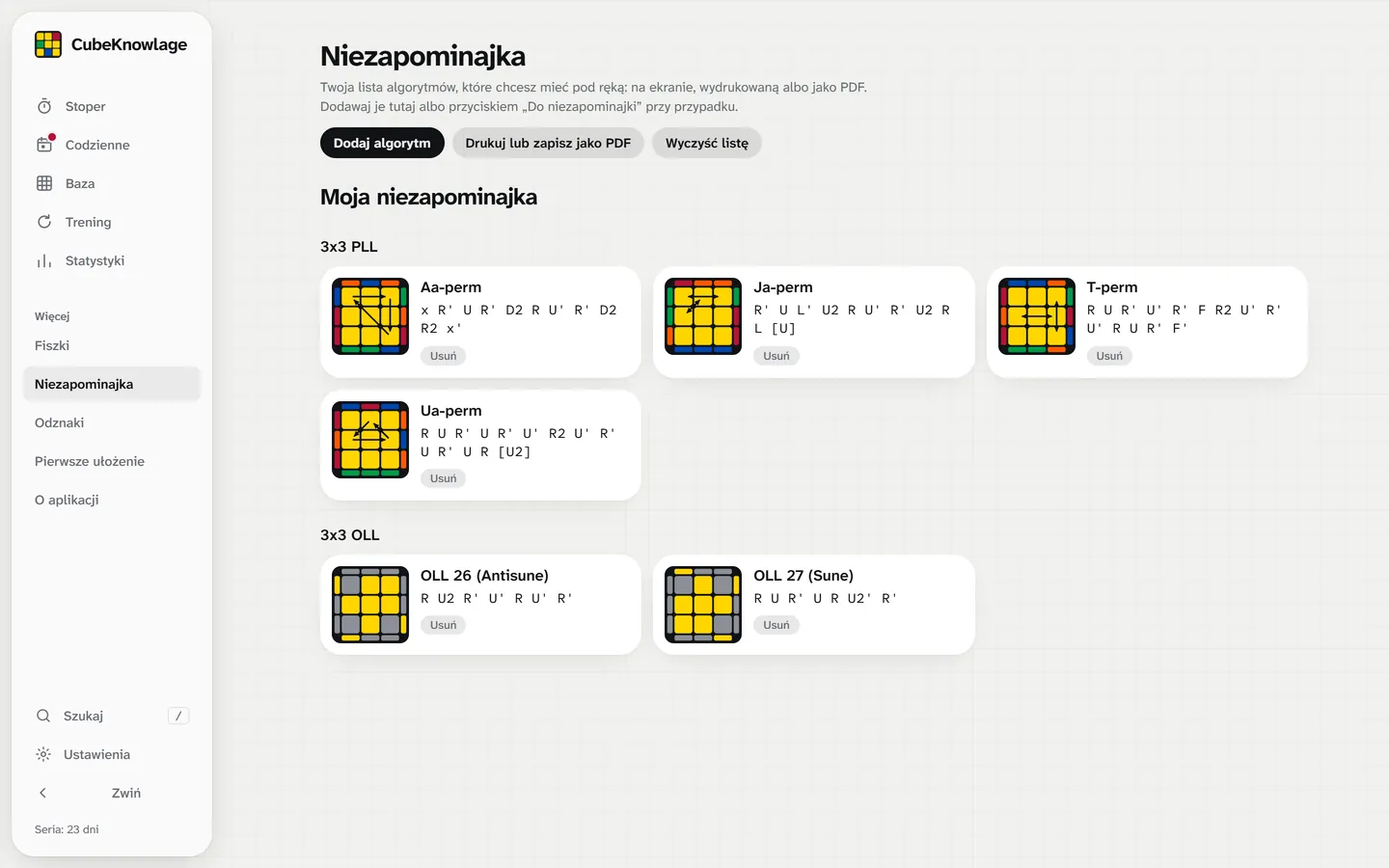
A timer like csTimer
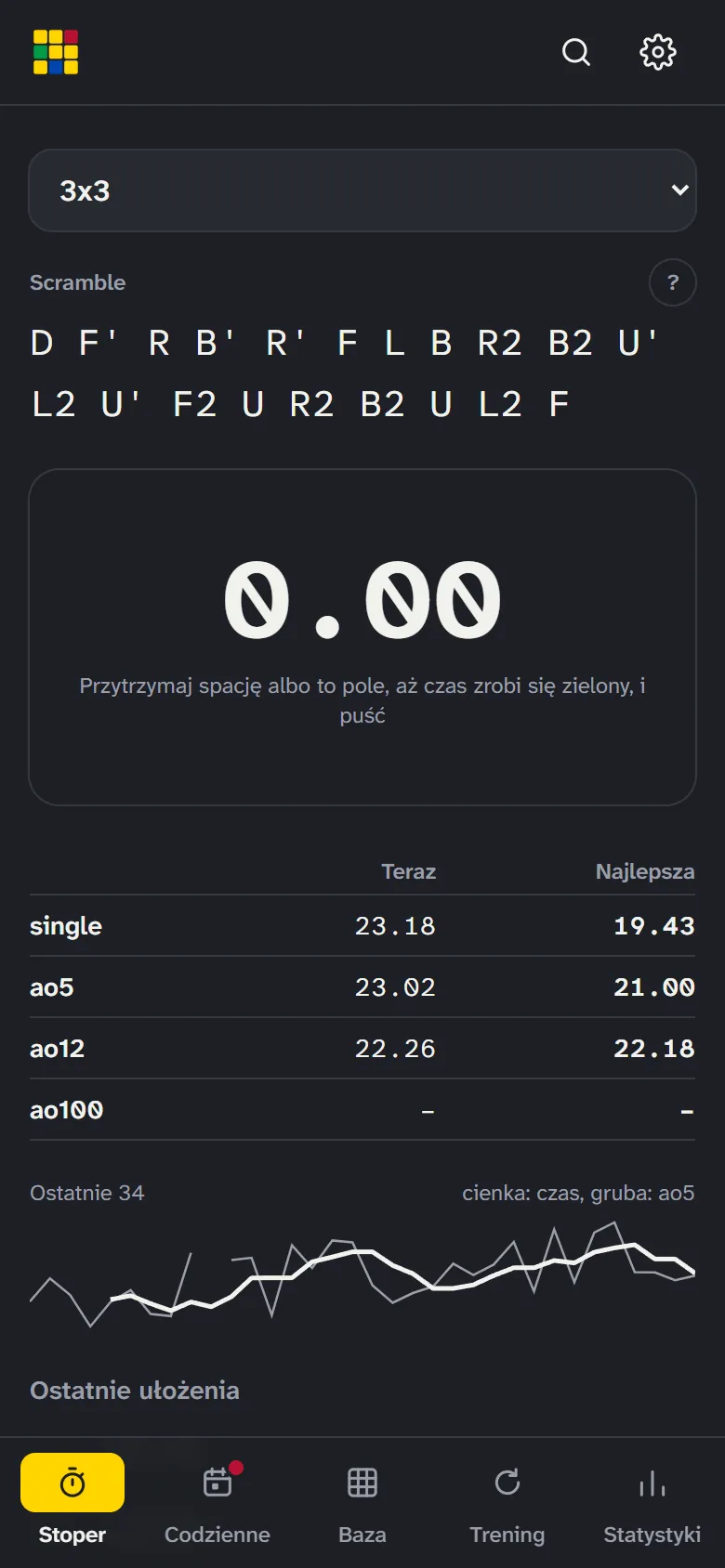
A big scramble for every WCA event, 15 s inspection, +2 and DNF. Next to it ao5, ao12, ao100 and a small session chart, and solves are saved automatically.
Open the timer
White cross and Cross+1
You time just the cross or the cross with the first pair, and after the solve you see the optimal solution, including XCross in every slot. That’s how you train inspection.
Try the cross
Every algorithm in seconds
41 F2L cases (with a description of intuitive F2L), 21 PLL, 57 OLL, 2-look, One-handed, 2x2 Ortega, 4x4 and 5x5. A diagram, a tip on how to recognize the case, triggers, short chunks and a 3D animation.
Browse algorithms
Know what to solve next
A road through 12 events in learning order, from the 3x3 to the 7x7. The green line shows how much you can already do, and the yellow marker what to do as the next step. In Daily you have a shortcut to it with a button to add a path.
See the road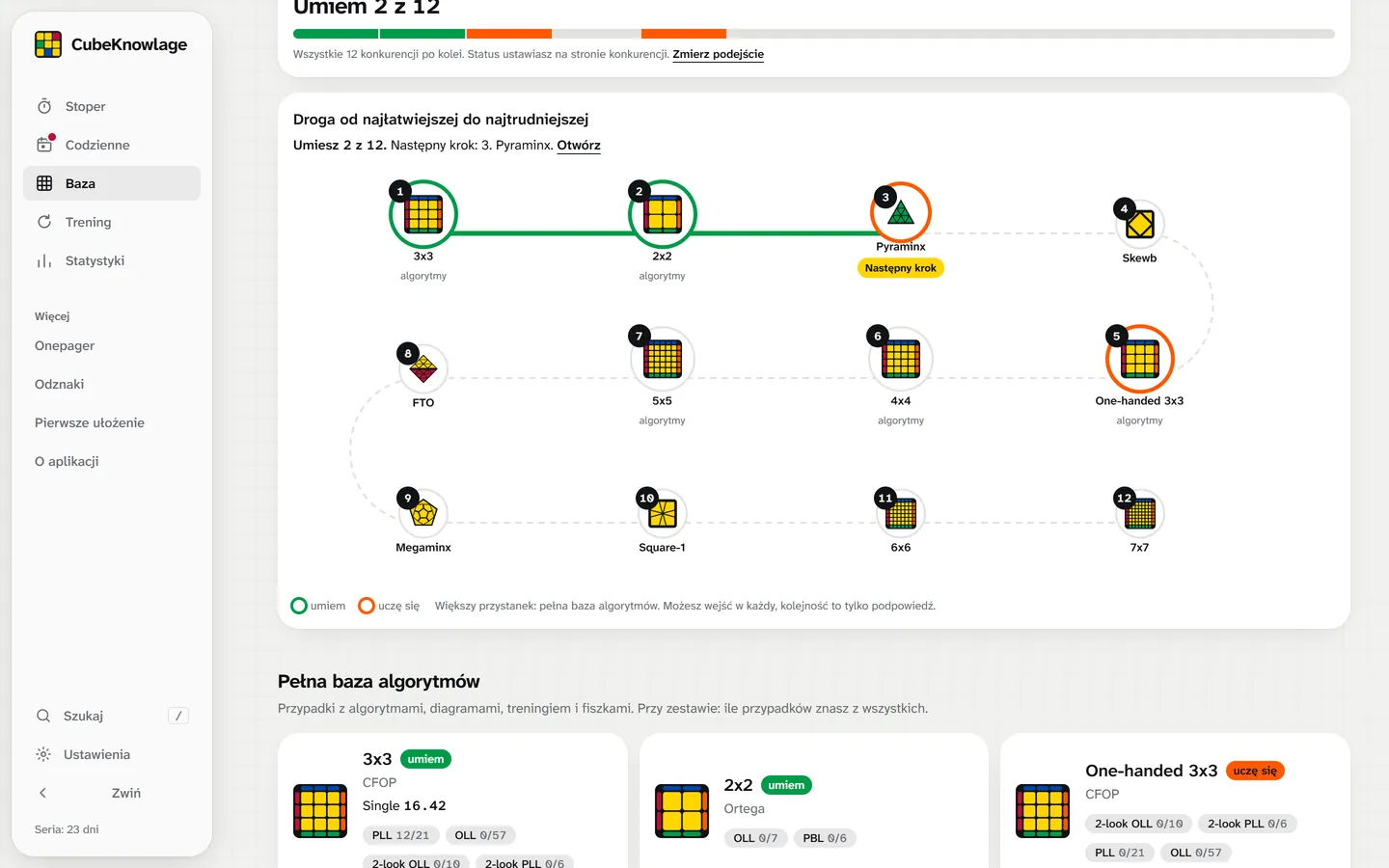
Daily tasks at your level
Three questions and you have a plan for a few minutes a day: from the layer-by-layer method, through 2-look, to full CFOP, OH and other cubes. Every path is a separate card.
Build your plan
Flashcards that remember for you
A picture of a case and 4 names to choose from, and the algorithm after you answer. Cards you mix up come back more often, known ones less often. You pick the decks yourself.
Play flashcards
See what you forget
Training works out what you already know by itself, and Stats show results day by day, a study calendar and the cases worth reviewing.
See your stats
No account. Your data stays with you.
- No account or login. You open the page and use it right away.
- Everything is stored in your browser’s memory on your device: times, badges, progress and your own algorithms. Results and progress don’t go to any server.
- You move it with a QR code. In Settings you show a code, scan it with the camera of another phone or laptop and confirm. You can also copy the code or save a file.
Who it’s for
You can’t solve a cube
A layer-by-layer method in 8 steps with pictures and “Solve with me”, which walks you through the whole solve.
You solve layer by layer
The “From layer-by-layer to CFOP” path: cross, intuitive F2L (with a description and 41 ready cases) and 16 2-look algorithms.
You’re learning CFOP
Full PLL and OLL with a daily reminder of what you forget.
You’re at about 25 s
White cross, Cross+1 and the “CFOP: the road to sub-20” guide.
You practise One-handed
One-hand algorithms and a separate path with a finger warm-up.
You want all the cubes
A road through 12 events in learning order, step-by-step methods and the Guildford Challenge mode with splits.
On a phone too
The same app works on a phone, with a bottom bar and a big timer. Add it to your home screen and you open it with one tap, also offline.
iPhone
Open the page in the browser, tap “Share”, then “Add to Home Screen”.
Android
Open the page in Chrome, menu ⋮, then “Install app”.
Frequently asked questions
Is the app free?
Yes, entirely. There are no ads or paid features.
Do I need to create an account?
No. You open the page and use it right away.
Where is my data?
Only in your browser, on your device. The app sends nothing, there is no account and nobody but you sees your results. In Settings (Your data) you can save a backup to a file or move your progress with a code.
How do I move my progress to another phone or laptop?
In Settings, in the “Your data” section, on the Export tab I show a QR code with a link to scan with the other device’s camera, and next to it “Copy link” and “Copy code”. On the other device you can also paste the code on the Import tab. Nothing is loaded without your confirmation. On iPhone, scanning a QR opens the browser, not the installed app: then copy the code and paste it into the app. You can also save the data to a file.
Can an iPhone delete my progress?
In a regular browser tab on iPhone, yes: the browser may delete a site’s data after about 7 days without a visit. An app added to the home screen (“Share”, then “Add to Home Screen”) is exempt. It’s also worth saving a backup now and then: the app will remind you when there is something to lose.
Does anyone see my results?
No. Results and progress never leave your device. You send something only if you write feedback yourself in “Rate the app”. The transfer code holds your progress in the link itself, in the part after the # sign, which the browser doesn’t send to a server. Whoever you show or send the code to will see it, so share it only with yourself.
How do I report a bug or an idea?
In the “More” menu choose “Rate the app”: stars, what you like and what to improve. The feedback goes straight to the author.
Does it work offline?
Yes. After the first visit and adding it to your phone’s home screen it works offline, together with the timer and scrambles.
Where do the algorithms come from?
They are the most popular variants used by cubers, compared with several community sources. Each one is automatically checked on a cube model to confirm it really solves its case.
Can I make my own list of algorithms and print it?
Yes. In the Reminder you collect chosen algorithms (you search for them and add a few at a time or a whole set), and then print them or save as a PDF. On a phone you can take a screenshot.
Can I enter my own algorithm?
Yes, on the case page (3x3 and 2x2). I check on a cube model that it solves that case, and from then on it’s your pick: it shows in the list, in training, in flashcards and in the Reminder.
Are there F2L algorithms?
Yes. In the Library, in the 3x3, there is an F2L set with a description of intuitive F2L (find the pair, connect, insert) and 41 cases of a single slot. Each has a few variants, a picture and a scramble to practise. The algorithms were searched for and checked on a cube model, so it’s worth comparing them with what your hand does.
Does the app check my solve?
No, because it can’t see your cube. You solve on a real cube and grade the result yourself, so it works with any cube, no Bluetooth needed.
How do I use all the features?
On the page How to use (the “More” menu) every feature has short step-by-step instructions: the timer, algorithms with your own variant, flashcards, the Reminder, daily tasks, stats and moving data.
Is there an English version?
Yes. You can switch the whole app to English in Settings or with the “English” link in the “More” menu. The names of cases and techniques (T-perm, Sune, F2L) are the same in both languages, as cubers say them.
Grab a cube and start
No sign-up, nothing to install, right in the browser.